Cloning your own voice with Easy Voice Clone takes about two minutes the first time and a few seconds after that. You need a computer or phone with a microphone and a recent browser such as Chrome, Edge, Firefox or Safari.
Step 1: Open the Studio and load the model
Go to the Voice Cloning Studio and click Load model. The voice model downloads once (around 200 MB) and is stored by your browser, so next time it loads in a few seconds. The progress bar shows how much has downloaded, your download speed and roughly how long is left.
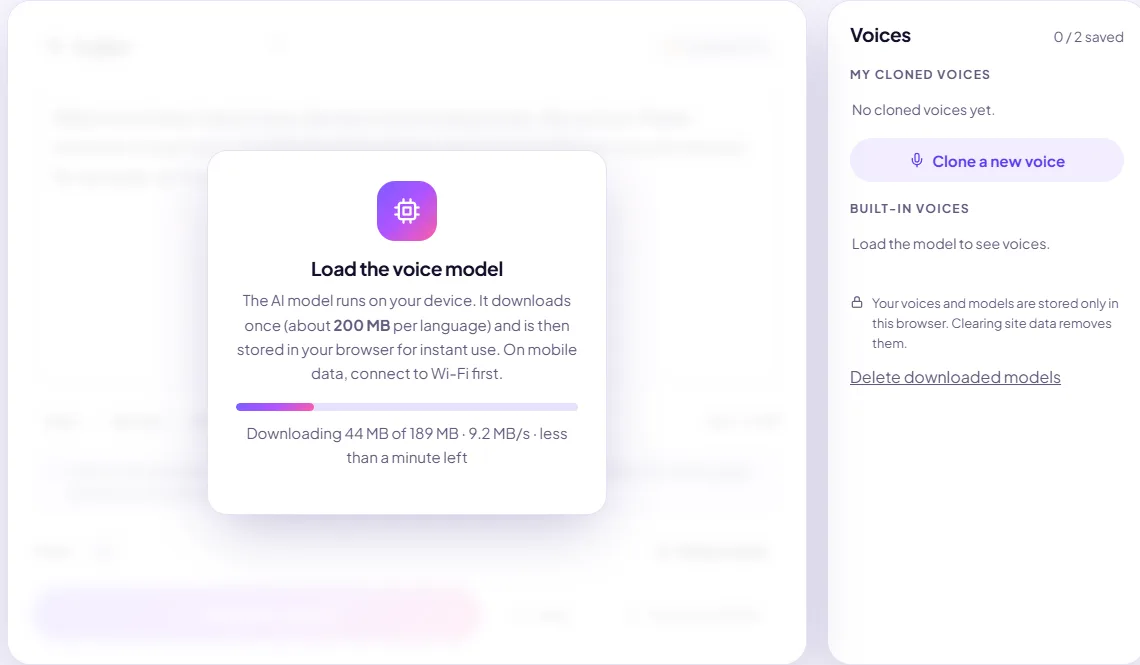
On a slow or unstable connection, don't worry if it stalls: the Studio retries automatically and keeps every file that has finished. If it eventually stops, press Try again and it continues from where it left off. If you go offline, it resumes by itself when the connection returns. On a phone, use Wi-Fi if your data is limited. If the Studio warns that your device has little memory or storage, close other apps first.
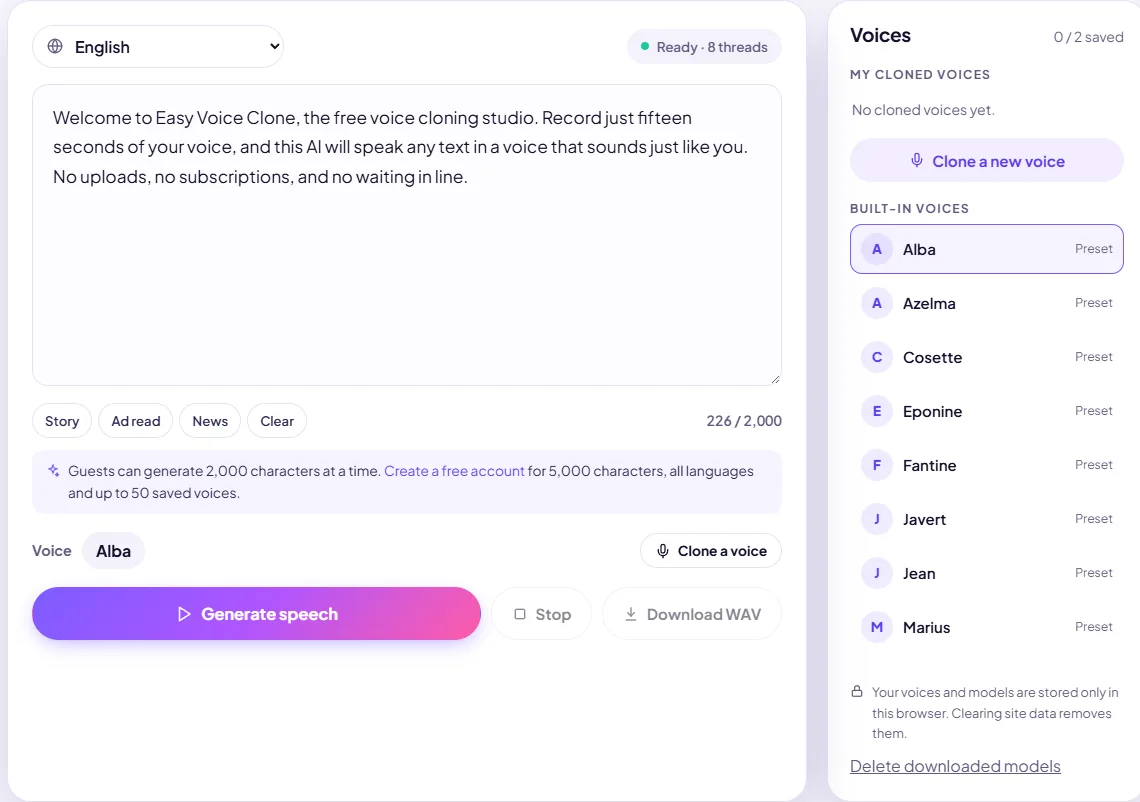
When the model is ready, the status pill turns green and the built-in preset voices appear in the sidebar:
Step 2: Record your voice sample
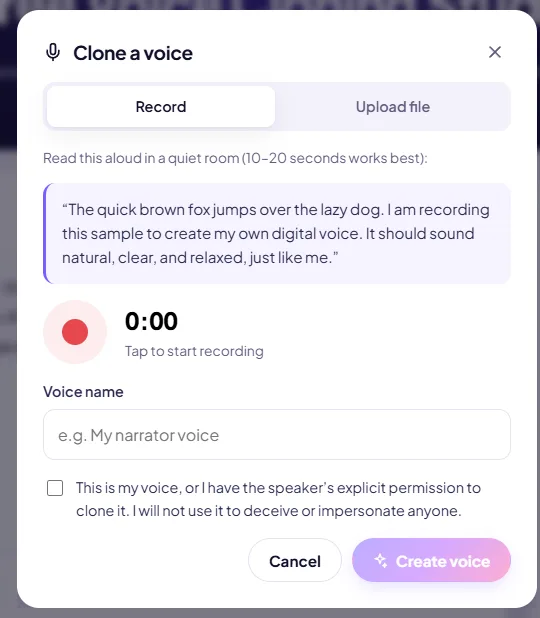
Click Clone a voice, choose Record and allow microphone access. Read the paragraph shown on screen in your normal speaking voice. Stop after 10–20 seconds.
- Record in a quiet room. Soft furnishings reduce echo.
- Keep the microphone about a hand-width from your mouth.
- Speak naturally, the way you want the clone to sound.
Already have a recording? Use the Upload file tab instead. Any clean WAV, MP3, M4A or OGG clip works. The Studio trims silence at the start and end automatically and uses up to 30 seconds.
Step 3: Name the voice and confirm consent
Give the voice a name, tick the consent box (it must be your voice, or you must have the speaker's permission) and click Create voice. The AI analyses the sample on your device in a few seconds. The new voice appears under My cloned voices and is selected automatically.
Step 4: Type, generate and download
Type or paste your text and press Generate speech. Audio starts playing within about a second while the rest is generated. When it finishes, click Download WAV.
Tips for a better clone
- A clean 15-second clip beats a noisy minute. The model copies background noise too.
- Write numbers as words ("twenty twenty-six") if you want a specific reading.
- Use punctuation for pauses: commas for short pauses, full stops for longer ones.
- Not happy? Record again. Making a new clone only takes seconds.
For a deeper dive, read the voice sample recording guide.